Righthand.Dataset.Visualizer is an MDI application that lets you inspect DataSet structure and its data plus tons of other useful operations on DataSet.
Why would I need a Dataset visualizer?
How often does a programmer wonder what data a dataset holds? It is certainly not easy to see the data in regular debugger windows. It is even harder to check the structure of DataSet or find which row has an error or which row has been changed. Or even which column of a row has been changed. If you ever worked with either normal or strong typed datasets you should see what I mean.
That’s why the fine folks at Microsoft introduced visualizers – a debugger feature that makes the inspection of complicated data easier. Even Visual Studio 2005 beta 2 already ships a DataSet visualizer (and some others, such as Text, HTML and XML) which is pretty ascetic. Is there a better replacement? Yes, welcome to RightHand.DataSet.Visualizer, a powerful tool that lets you do almost anything on a DataSet including extraordinary UI feedback.
Important notice
RightHand isn’t liable for any possible problem that is (in)directly caused by RightHand.DataSet.Visualizer.
At this time there shouldn’t be any such problems.
Updates:
0.9.1: Compiled with Visual Studio 2005 July CTP and new expiration date is 11/7/2005
0.9.5: Compiled with Visual Studio 2005 RTM and new expiration date is 2/2/2006
0.9.12: There are two versions, both unrestricted by time: for VS2005 and for VS2008. This is the last version for VS2005.
0.9.16 (21.5.2010): Added version for VS2010. Added icons and slightly cleaned up the UI. The visualizer for each VS is in one big file, digitally signed.
1.0.3 (23.8.2011) Added Toggle Time popup menu item for datetime columns. Visualizer also guesses the default display - with or without time. Download 2010, download 2008.
1.0.4 (1.9.2011) Save As menu item wasn’t wired. Should work now. Download 2010, download 2008.
1.0.5 (13.9.2011) Download 2010, download 2008.
- Tables tree width is persisted
- added “show original values” feature (through button in a toolbar). When enabled it will show the cell original value in parentheses. Disabled by default.
- Error and Changed columns are narrower and fixed width to conserve space
1.0.6 (11.1.2012) Download 2010, download 2008.
- better handling of a single DataTable - now, when table is part of a dataset, it loads entire dataset and jumps to the selected table. Note that when committing changes in this scenario, only changes in selected DataTable will be committed. -minor bug fixes
1.0.7 (20.4.2012) Download 2010, download 2008.
1.0.8 (7.8.2012) Download 2012, Download 2010, download 2008.
- Fixed Next Change, Next Error
- Added contextual menu features on row right click: Delete/Remove row, Accept/Reject row changes, Clear row errors
- Fixed original value showing (it could appear multiple times)
- Added a bunch of columns in table list (Errors count, Changed rows count, Rows count, Added rows count, Modified rows count, Deleted rows count). Errors and Changed count are background-lit when non zero to emphasize errors and change presence
- Renamed File/Commit and Exit to Persist and Exit to avoid confusion (this item persists changes back to the data owner - your application being debugged)
- A message box warning when closing visualizer when changes are present
- Empty table’s name is gray in table list
- Added tooltip on column header showing column’s name, caption, datatype, defaultvalue and whether it is nullable
- Grouping now works on RowState
Thanks to Wouter Van Schandevijl for great feedback. As always, feedback is appreciated.
1.0.9 (22.10.2012) Download 2012, Download 2010, download 2008.
- minor bugfix
- 2012 zip contained 2010 version due to a bug in setup build script
1.0.10 (26.9.2013) Download 2012, Download 2010, download 2008.
- single table visualizer was showing wrong RowStates
1.0.11 (17.10.2013)
Merged version (everything packed to a single DLL)
Download 2013, Download 2012, Download 2010, download 2008
Separate assemblies (each assembly in its own DLL)
Download 2013, Download 2012, Download 2010, download 2008
- added VS2013 version
- added a “separated assembly” versions. Until now I was using RedGate’s Smart Assembly to pack all referenced assemblies into a single DLL file for easier management and distribution. However, this black magic might cause problems in certain situations. Thus I’ve added another set that features assemblies in separate files. The bottom line, if you have problems or you want to be on the safe side, use the later set.
1.0.12 (7.9.2015)
Currently just a build supporting Visual Studio 2015, dropped Visual Studio 2008 support (1.0.11 is latest supporting it).
No features added or anything changed.
Merged version (everything packed to a single DLL)
Download 2015, Download 2013, Download 2012, Download 2010
Separate assemblies (each assembly in its own DLL)
Download 2015, Download 2013, Download 2012, Download 2010
1.0.12 (26.5.2017)
Added Visual Studio 2017 version.
Merged version (everything packed to a single DLL)
Separate assemblies (each assembly in its own DLL)
1.0.14 (7.1.2018)
Fixed packing.
Merged version (everything packed to a single DLL)
Download 2017, Download 2015, Download 2013, Download 2012, Download 2010
Separate assemblies (each assembly in its own DLL)
Download 2017, Download 2015, Download 2013, Download 2012, Download 2010
1.0.15 (26.4.2019)
Updates DevExpress librarires
Switches to ILMerge for merging into single assembly
Deprecates 2015 and older. Use existing version.
Only merged assemblies from now on.
Includes PDB file.
1.0.17 (2.10.2020) Adds Xlsx export option
1.0.18 (16.11.2021)
Adds VS2022 support Download VS2022
1.0.19 (10.10.2024)
Updates VS2022 support because of breaking changes in 17.11 - no more binary serialization.
Drops support for older Visual Studio versions. Old visualizer versions should still work.
Requirements
- Visual Studio 2005 (last supported version is 0.9.12), 2008, 2010 or 2012, 2013, 2015, 2017, 2019 and 2022 (separate versions).
- Visual Studio 2022
Download
Links to new versions will be posted next to version above in what’s new.
Installation
Copy files in zip file to one of these two folders (number next to Visual Studio stands for: 8…VS2005, 9…VS2008, 10…VS2010):
\Common7\Packages\Debugger\Visualizers
i.e.: C:\Program Files\Microsoft Visual Studio 9\Common7\Packages\Debugger\Visualizers
or
My Documents\Visual Studio\Visualizers
The difference is that the former is visible to all users while the latter is visible only to current user.
As an alternative, you can just register DevExpress.* assemblies to GAC (no need to copy them to that folder).
That’s it. No need to restart (if you have it open) Visual Studio at all.
Running
Run to a breakpoint in your application, hover over a dataset variable either in editor or in one of the debugger windows (locals, auto, watch, …). Click on the arrow near magnify glass and pick RightHand DataSet Visualizer. Here is an example:

Main Screen
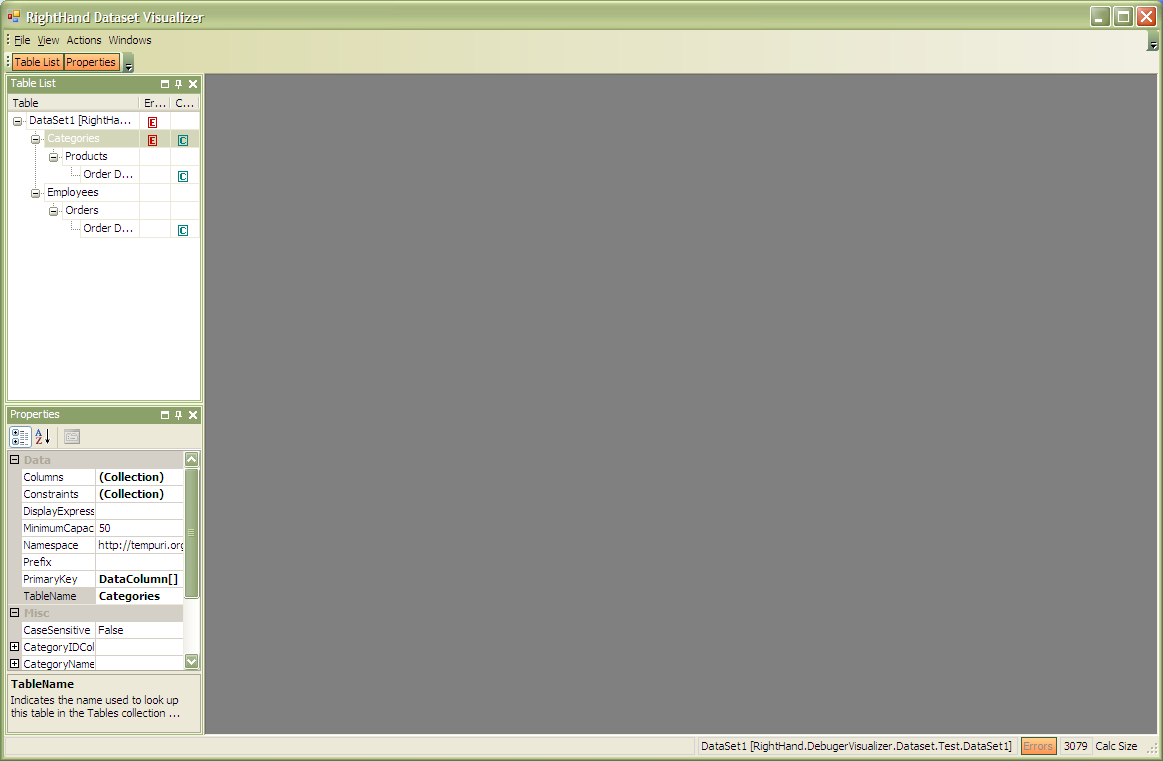 The main screen also provides the ability to either save or load dataset through usage of WriteXml and ReadXml methods. See File/Open, File/Save and File/Save As.. menu items. When you are done using visualizer you can commit changes and exit (File/Commit And Exit) or just exit and cancel changes.
Table MDI child window
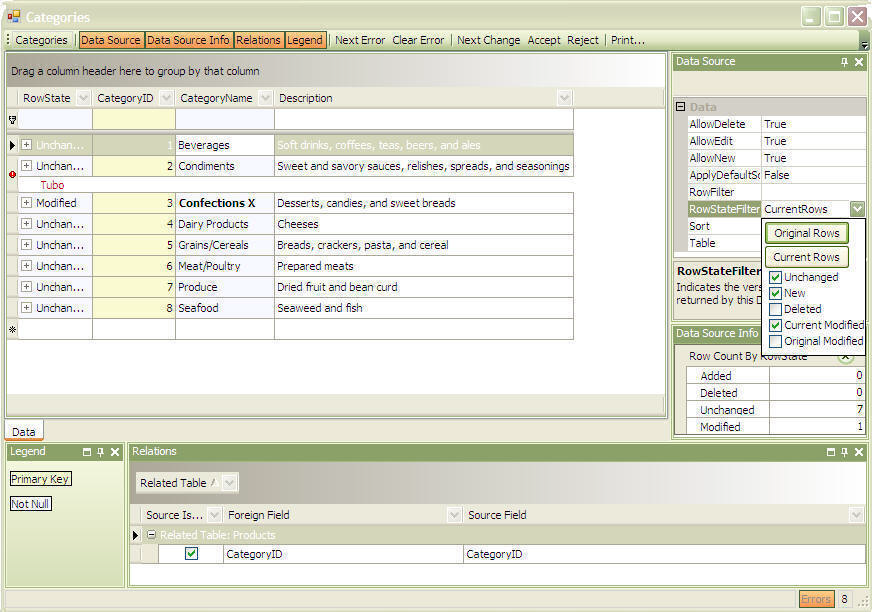
About
Links:
RIGHTHAND is a .net consulting and software development company.
Miha Markič’s Blog
Developer Express web site www.devexpress.com
Troubleshooting
Getting a HRESULT: 0×80131515
Getting a HRESULT: 0×80131515 when invoking Righthand DataSet Visualizer from Visual Studio.
The problem is that OS marked the visualizer assembly as unsecure since it originated from the Internet. The solution to the problem is an easy one.
Locate the Righthand.DebuggerVisualizer.Dataset.2010.dll within File Explorer, right click to get Properties and click on Unblock button:
More screens
Master-Detail view
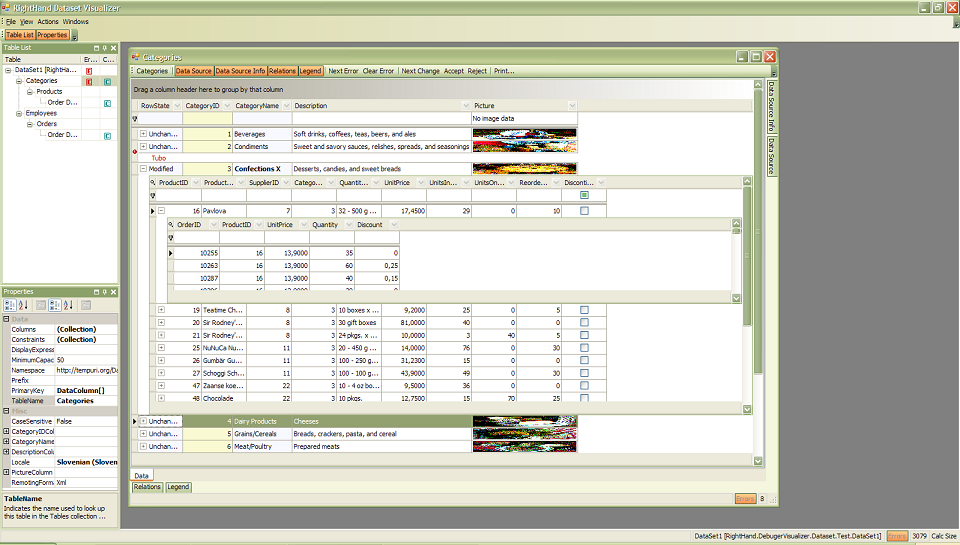
Images in grid
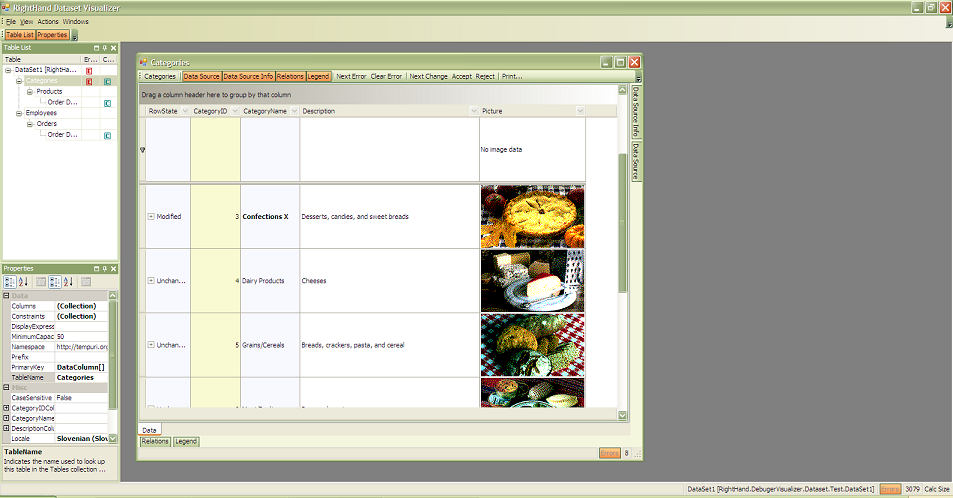
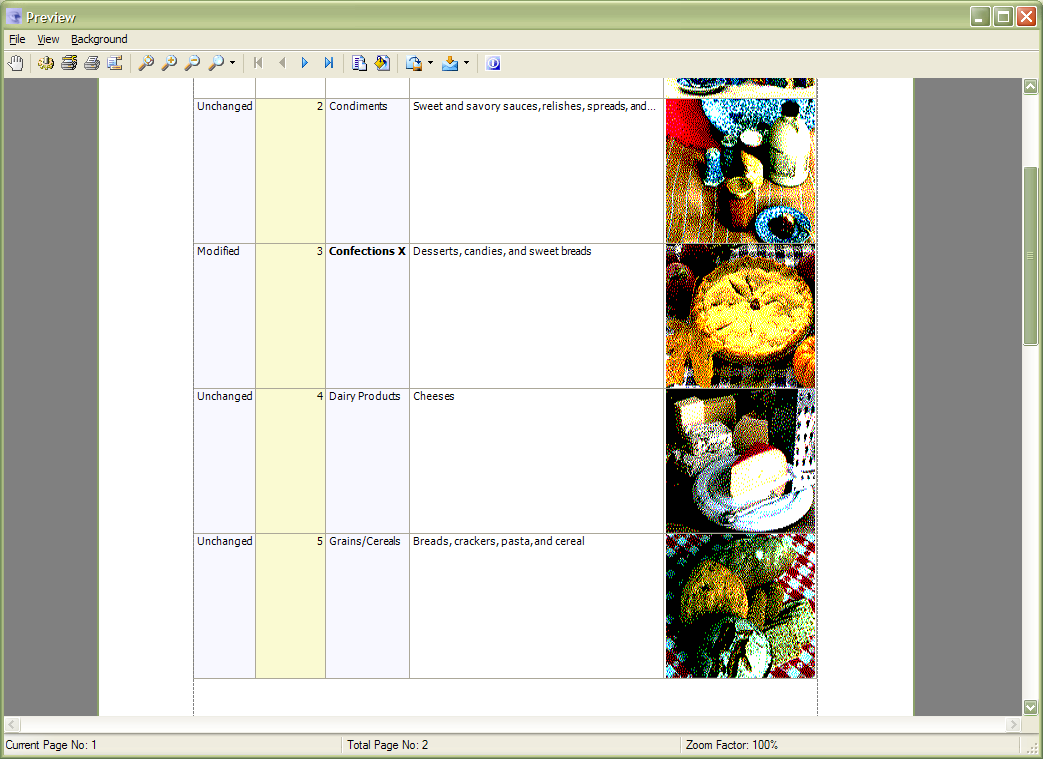
Print Preview